
 Peter Friedman
Yes, your website gets a lovely green ‘WCAG’ pass, but…
What if that glowing impression of accessibility that your test credentials give your users is totally false?
A top UK regulatory watchdog has just released figures which reveal a huge gulf between ‘compliance’ and genuine accessibility.
Accessibility audits examine the website and all of the things that a person has to do while using it. The images may have alt text and the colour contrast may be right and the buttons may work from a keyboard and the forms may have all the labels they need (you can probably hear the word ‘but’ coming, right?).
Tests can also check whether somebody is able to find the “Contact us” button and complete the contact form and press the send button. But (yes, you were right, here it is) once it’s been has been submitted, that request moves on ‘seamlessly’ into another part of the organisation which means that it then usually just ‘disappears’ from the audit.
But this still also leaves out quite a lot of other things unchecked that are equally relevant to accessibility. The person may need a phone call, an interpreter or an answer in a different format, and the fact that the website ‘accepted’ that request tells us very little, if anything at all about whether any of those things that may have been desperately needed to happen actually happened.
What an accessibility audit checks, and what it doesn’t check
The Web Content Accessibility Guidelines, or WCAG, are the standard most website teams work towards. The current version of those guidelines, WCAG 2.2 says very explicitly that web content should be ‘perceivable, operable, understandable and robust’, and that every page in an online process has to comply.
An online shop can’t be described as accessible if the online checkout process isn’t, and WCAG provides detailed ways of checking this kind of problem.
The WCAG introduction also says explicitly that its guidelines just cover web content and that this won’t meet every need disabled people have.
So yeah, the conformance rules only apply to web pages and ‘external’ online processes. They don’t follow a request’s journey into/beyond somebody’s (internal/staff, but also outbound, i.e., the user’s) inbox, a case-management system or a telephone queue, where the person who made the request may now be waiting for somebody in the organisation to act.
A successful audit shows that the website has met the standard being tested. Organisations typically allow that result to carry a much wider meaning, as though the accessibility of the website also tells them about the accessibility of everything that happens afterwards.
The boundary often comes from the way the work is organised. A website team can control contrast and markup and keyboard access and the behaviour of forms, while promised phone calls and interpreter bookings may sit with other departments and other systems.
After the form has been submitted: often nothing
In his 2012 talk Stop Drawing Dead Fish, interaction designer Bret Victor talked about the way things created to be displayed on screens can behave and be interacted with realistically and intuitively instead of just sitting there like lifeless pictures.
Websites now respond in all sorts of not-so-lifeless ways Bret might approve of. Buttons change to reflect being pressed, menus open up and forms can and sometimes even do helpfully point out errors and screen readers can audibly announce what’s happening, with genuinely conscientious accessibility work making these features much more practically usable by many more people.
But a different kind of response is needed once the person has finished using the website
Somebody inside the organisation may have had to read the request and have had to understand what has been asked for and have had that request forwarded the right team and have made sure that the relevant ‘adjustment’ (this term ‘reasonable adjustment’, or in the US ‘reasonable accommodation’ is the phrase that accessibility specialists use to describe a specific action or resource that is introduced in order to directly address and accommodate a specific kind of disability which would have otherwise prevented the person from doing what was intended) is provided.
The request may instead become a ticket in a database and get passed between teams, or it may simply remain there while the person waits. The website audit has already finished its job by this stage because the form itself ‘worked as expected’.
Finding out what people need BEFORE there’s a problem
A restaurant asking about serious food allergies after everybody has eaten would have obtained ‘the right information at the wrong time’. The kitchen needs to know before preparing the meal.
Accessibility can follow a similar order when a person encounters a barrier, then they struggle with it, then they search for the accessibility page and try to work out how to request help, all well before the organisation even begins considering any adjustment.
By that stage, the person has already experienced the problem that the adjustment was supposed to prevent. The organisation may eventually deal with the request, although the person has had to identify the barrier themselves and actually have to try to initiate the ‘adjustment process’ for themselves, by themselves.
The Equality Act duty to make reasonable adjustments is anticipatory, so services (everything online, every publicly accessible web page, is considered a ‘service’ by The Act in this context) are expected to ‘think about (anticipate and address) likely barriers in advance’ rather than expecting/waiting for disabled people to report each ‘obstacle’ as they encounter it.
The Unfortunate Case of Elliott and HMRC
On 19 August 2026, the Parliamentary and Health Service Ombudsman published new cases involving organisations that knew about people’s communication needs but hadn’t acted on them.
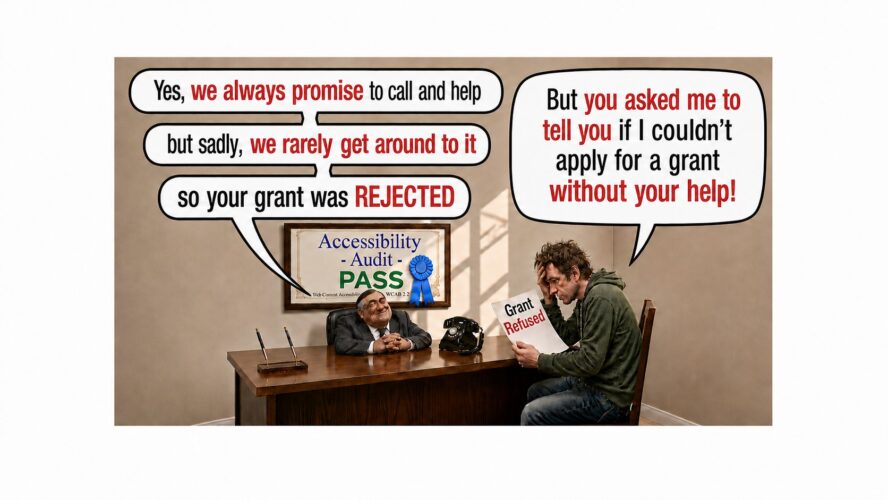
One of the cases involved Elliott, who has dyslexia and attention deficit hyperactivity disorder. He couldn’t provide grant evidence in writing and asked HMRC to let him explain it over the phone.
HMRC had been sending Elliott audio documents for years, so his need for support was already known. Officials agreed that somebody would call him, and over the next 14 months he was repeatedly told that the call would be made.
The call didn’t take place, and HMRC decided that Elliott wasn’t entitled to the grant without hearing the evidence he could only provide by phone. A later review approved £5,600 in Self-Employment Income Support Scheme grants.
Elliott could receive documents in a format he could use, yet he also needed an accessible way to provide information and get an answer from HMRC. The existing adjustment dealt with information travelling from HMRC to him and didn’t help when the communication needed to travel in the other direction.
The vaccination appointment that went seriously wrong
Another Ombudsman case involved a Deaf woman who went to a pre-booked flu vaccination appointment. The surgery knew that she needed a British Sign Language interpreter, although an interpreter hadn’t been provided when she arrived.
Staff tried to communicate through her grandmother without knowing whether her grandmother understood sign language. The woman was then given a COVID-19 vaccination instead of the flu vaccination she’d booked, despite not having agreed to receive it.
Accessible communication was needed during the appointment so that she could understand what was happening and give consent. Her record contained the request for an interpreter, but the presence of that information hadn’t led to an interpreter being booked.
The gap in this case appeared between recording the adjustment and carrying it out, a stage of the service that won’t be examined by checking the surgery’s website.
The wider guidance and the law
WCAG continues to provide the detailed standards needed for accessible web content. W3C’s wider guidance also says that people should be able to ask for help in the way they prefer and that feedback processes should respond helpfully.
That guidance warns that difficult contact methods can leave problems hidden because people can’t easily tell the organisation what has gone wrong. It reaches into the exchange between the organisation and the person rather than dealing only with the presentation of information.
Just blaming the guidance is too easy, because although it has limitations, it spells them out.
The Equality Act also requires reasonable adjustments to work in practice. The legal duty is concerned with disabled people being able to use services, which can involve the action taken after somebody has explained what they need.
Website audits usually just measure the part of accessibility that website teams can actually see and control. The gaps become much harder to see once the request moves out into another department, even though the person is still trying to use exactly the same service.
Testing the complete process
Software developers regularly encounter components that pass their individual tests and then totally fail when they’re connected to the rest of a system. The same problem can and does occur in an accessibility testing process, but remain totally unreported if the test ‘stops’ just before it hits things outside of its ‘domain of responsibility’.
A form may work correctly, the request may be submitted and the database may save it without any kind of error. An interpreter still has to be booked or a phone call has to be made, and those actions depend on people and systems that weren’t included in the website test.
A payment process wouldn’t be working properly if the payment button behaved exactly as designed but the money failed to arrive. Looking only at the button would miss the point at which the transaction had broken down.
An accessibility process also has to have an intended result outside the website. The person asked for an adjustment because they needed something to happen, and the technical success of the form doesn’t show whether they received it or not.
Asking about communication needs earlier
Services can always offer different ways to communicate from the beginning and make those choices really easy to find. People can then record precisely what they need before they’re having trouble with a particular appointment, or application or request.
This in practice changes the timing of the conversation. “What will you need from us?” can be asked while the service still has time to arrange the support, rather than beginning much later with “Tell us what went wrong.”
Thinking ahead also reduces the amount of work that’s being placed on disabled people, who otherwise have to encounter the barrier, then identify it, then they have to find the right contact route and then they have to explain the same need each time they deal with another part of the organisation.
Recording the need and then acting on it
A communication need that ends up written onto someone’s record can only really help if it ends up changing what happens next. If somebody turns out to need a phone call rather than a letter, their case has to reach a team that can phone them.
An interpreter request needs to result in a booking being made before the appointment, while a need for more time has to have an effect on the relevant deadline. These are separate actions from recording the information.
Somebody also has to be responsible for carrying out the adjustment action, with a set deadline as well as having somewhere for the case to go when the expected action doesn’t actually happen.
Without this connection between the record and the action being fully recorded, information about a person’s needs can remain stuck in a database while staff continue using the usual process.
Communication in both directions
People receiving accessible information may need to answer questions, ask questions, provide evidence or explain something that the organisation hasn’t understood.
The organisation then has to deal with that reply and provide whatever answer or support allows the person to continue. Accessibility is involved throughout this exchange because a breakdown at any stage in the process can prevent the person from using the service.
An accessible letter provides information in one direction. When the person can’t answer it in a way they can use, or the organisation doesn’t respond to their answer, the communication problem remains totally unresolved.
Proof that it doesn’t need to be this bad
Organisations already use their systems to monitor their uptime, their page speed, failed transactions, abandoned baskets and support-ticket queues. Similar monitoring can show whether promised calls actually took place and whether interpreter requests turned into actual bookings.
This kind of monitoring can also show whether adjustments ‘followed’ people when their cases moved between departments, and cases can then be flagged when the expected action hasn’t happened instead of waiting for the person to contact the organisation again.
The Ombudsman gives an example involving North Cheshire and Mersey NHS Foundation Trust. The Trust added alerts to patient records, notified teams when Deaf patients were admitted and created a dashboard showing whether interpreters had been provided.
This organization made back-end changes that aren’t typically audited, changes that replaced pseudo accessibility with real accessibility.
Without these improvements, their front end would still have easily passed standard accessibility tests, without actually being as accessible as those tests were meant to make it.
Interpreter use increased by 50% in one year, while the proportion of Deaf patients reporting appropriate BSL interpreter support rose from 5% before the changes to 87% afterwards.
The monitoring system’s dashboard connected the information on the patient’s record with what happened during their care. Staff could actually see whether the requested support had actually been provided rather than simply treating the presence of the request as the end of the process.
Looking beyond the website
The work done to make the website accessible still matters, but the audit only covers the website, and it may tell us very little about what happens after somebody uses it to contact the organisation.
Looking at the accessibility of the rest of the service would involve someone checking whether the person can successfully explain what they need, whether somebody actually responds, whether any of the promised support in fact arrives and whether they can complete whatever it was that they came there to do.
Without examining those later stages, the organisation knows that its website meets the accessibility standard while still having very little evidence or realistic appreciation about what disabled people really experience when they need somebody to respond or to arrange an adjustment for them.
Calling any of this crucial side of things, when it doesn’t happen, ‘accessibility’ is clearly not an auditing process that is in any way ‘fit for purpose’.
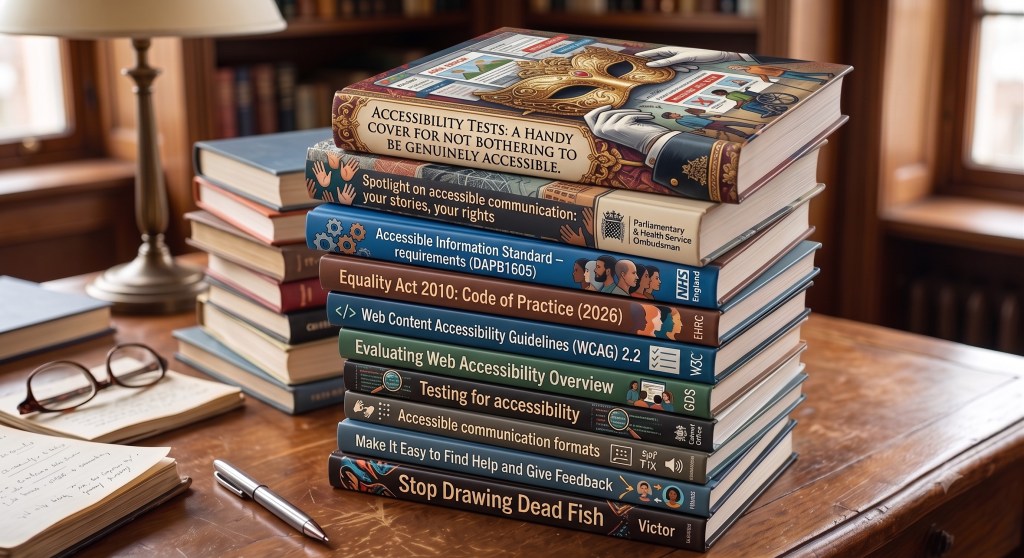
Sources and relevant reading for Accessibility Tests: A Handy Cover For Not Bothering To Be Genuinely Accessible
- Spotlight on accessible communication: your stories, your rights – Parliamentary and Health Service Ombudsman, 19 August 2026.
This is the principal source for the Elliott and Samantha cases and for the North Cheshire and Mersey NHS Foundation Trust improvements. It reports how recorded communication needs failed to produce promised calls or interpreters, while alerts, staff notifications and monitoring produced measurable improvements.
Report: https://www.ombudsman.org.uk/publications/spotlight-accessible-communication-your-stories-your-rights
News release: https://www.ombudsman.org.uk/news-and-blog/news/ombudsman-warns-public-services-communications-are-falling-short-people - Accessible Information Standard – requirements (DAPB1605) – NHS England, 30 June 2025.
The revised standard requires health and social-care services to identify, record, flag, share, meet and review people’s communication needs. Crucially, it says alerts should prompt staff to act, supporting the article’s distinction between merely recording an adjustment and actually providing it.
https://www.england.nhs.uk/long-read/accessible-information-standard-requirements-dapb1605/ - Equality Act 2010: Code of Practice for services, public functions and associations, 2026 – Equality and Human Rights Commission, updated 5 August 2026.
The Code explains that the reasonable-adjustment duty is anticipatory: service providers must consider barriers and act before an individual disabled person tries to use the service. It also describes the duty as continuing rather than something considered once and forgotten.
https://www.gov.uk/government/publications/equality-act-2010-code-of-practice-for-services-public-functions-and-associations-2026/equality-act-2010-draft-code-of-practice-for-services-public-functions-and-associations-2026 - Web Content Accessibility Guidelines (WCAG) 2.2 – World Wide Web Consortium, published 5 October 2023.
WCAG defines accessible web content as perceivable, operable, understandable and robust. Its conformance rules cover complete web-based processes, but the standard also says that following WCAG will not address every need disabled people have. This helps define the boundary examined in the article.
https://www.w3.org/TR/WCAG22/ - Evaluating Web Accessibility Overview – World Wide Web Consortium, updated 12 August 2026.
W3C explains that accessibility evaluation is also called assessment, auditing or testing, and warns that no evaluation tool alone can determine whether a site meets accessibility standards. It recommends knowledgeable human evaluation and involving disabled users.
https://www.w3.org/WAI/test-evaluate/ - Testing for accessibility – Government Digital Service, updated 29 October 2024.
This guidance describes the normal scope of web-accessibility testing: code, automated checks, manual checks, assistive technologies, disabled-user research and formal audits. Its examples concentrate on the website and digital service, illustrating why later staff actions can escape a conventional web audit.
https://www.gov.uk/service-manual/helping-people-to-use-your-service/testing-for-accessibility - Accessible communication formats – UK Government Disability Unit and Cabinet Office, updated 17 June 2026.
This guidance says organisations should anticipate communication requirements, plan accessible formats in advance, assign responsibility, monitor delivery and offer suitable channels. It also recognises that people may need different ways both to receive and respond to information.
https://www.gov.uk/government/publications/inclusive-communication/accessible-communication-formats - Make It Easy to Find Help and Give Feedback – World Wide Web Consortium, first published 29 April 2021.
This cognitive-accessibility guidance recommends allowing people to seek help using their preferred communication method. It says feedback processes should respond helpfully and warns that inaccessible contact methods leave organisations unaware of problems because users give up trying to report them.
https://www.w3.org/WAI/WCAG2/supplemental/patterns/o7p05-findable-support/ - Stop Drawing Dead Fish – Bret Victor, presented 16 May 2012 and recorded 27 November 2012.
Victor argues that things created in computers can behave and respond instead of remaining fixed and lifeless. The article uses that idea to distinguish responsive on-screen interfaces from the human and organisational response required after a request has been submitted. This older source is included because the article refers to it directly.
Video: https://vimeo.com/64895205
YouTube version: https://www.youtube.com/watch?v=KUDh6sCtm8s
Written event introduction: https://san-francisco.siggraph.org/2012/05/25/stop-drawing-dead-fish/

Footnote Zone for Accessibility Tests: A Handy Cover For Not Bothering To Be Genuinely Accessible
Disclosure: The diagnostic tools referenced below were developed by NokNok, a specialist in online responsiveness tool design.
This Footnote Zone uses NokNok’s four-part diagnostic toolkit to examine how a website can pass an accessibility audit while the human response, adjustment and follow-through beyond the screen remain inaccessible.
- Email Finder: The article shows how an accessible “Contact us” button or form can become the only visible route for explaining a communication need, supplying evidence or chasing an unfulfilled adjustment. Email Finder scans an organisation’s website and related public-facing materials for published email addresses, then reports missing routes, discrepancies and structural contactability gaps that may force disabled users through one channel.
- Reply Radar: In Elliott’s case, HMRC repeatedly promised a phone call for 14 months but never made it; more broadly, submitted adjustment requests can sit in queues or pass between teams without action. Reply Radar deploys targeted test emails and quantitatively measures reply rates, latency and response consistency, showing whether apparently accessible contact routes produce a timely human response.
- Compliance Sniffer: The article identifies a compliance gap between recording a communication need and acting on it: a request may be acknowledged while the response is irrelevant or unclear, or fails to arrange the required adjustment. Compliance Sniffer analyses incoming responses against objective benchmarks for quality, clarity, relevance, escalation and compliance, separating a meaningful answer from an empty acknowledgement or evasive reply.
- Mystery Shopper: The Ombudsman cases reveal end-to-end failures that a website-only audit misses: a BSL request was recorded but no interpreter was booked, while HMRC’s promised telephone route failed before it decided Elliott’s claim. Mystery Shopper executes a comprehensive end-to-end responsiveness UX audit, following a real user’s contact, response and escalation journey to identify where a technically accessible front end stops producing an accessible outcome.
Disclosure: The diagnostic tools referenced in this Footnote Zone were developed by NokNok, a specialist in online responsiveness tool design. ReplyResearch may use NokNok tools, resources, or analysis when preparing coverage, while retaining responsibility for its editorial decisions, including what topics to cover, what sources to cite, and how stories are presented. Read the full ReplyResearch Collaborative Disclosure Policy.